
Alerts
Static & moving-average alerts
Fixed bounds and moving-average bands, streaks, clear bounds, rain behaviour and skip windows.
When to use these two kinds
Use a static alert when you know the number: a regulatory limit, a flood stage, a temperature a species cannot tolerate. Use a moving-average alert when the interesting thing is a change against the recent past — a spike in turbidity, a sudden drop in conductivity — on a sensor whose baseline drifts with the season or the tide. Both kinds share everything else: the same recipients dialog, the same rain settings, the same pause and cooldown controls, the same status chip. Those shared parts are on the Alerts overview; this page is about the fields that decide when each kind fires.
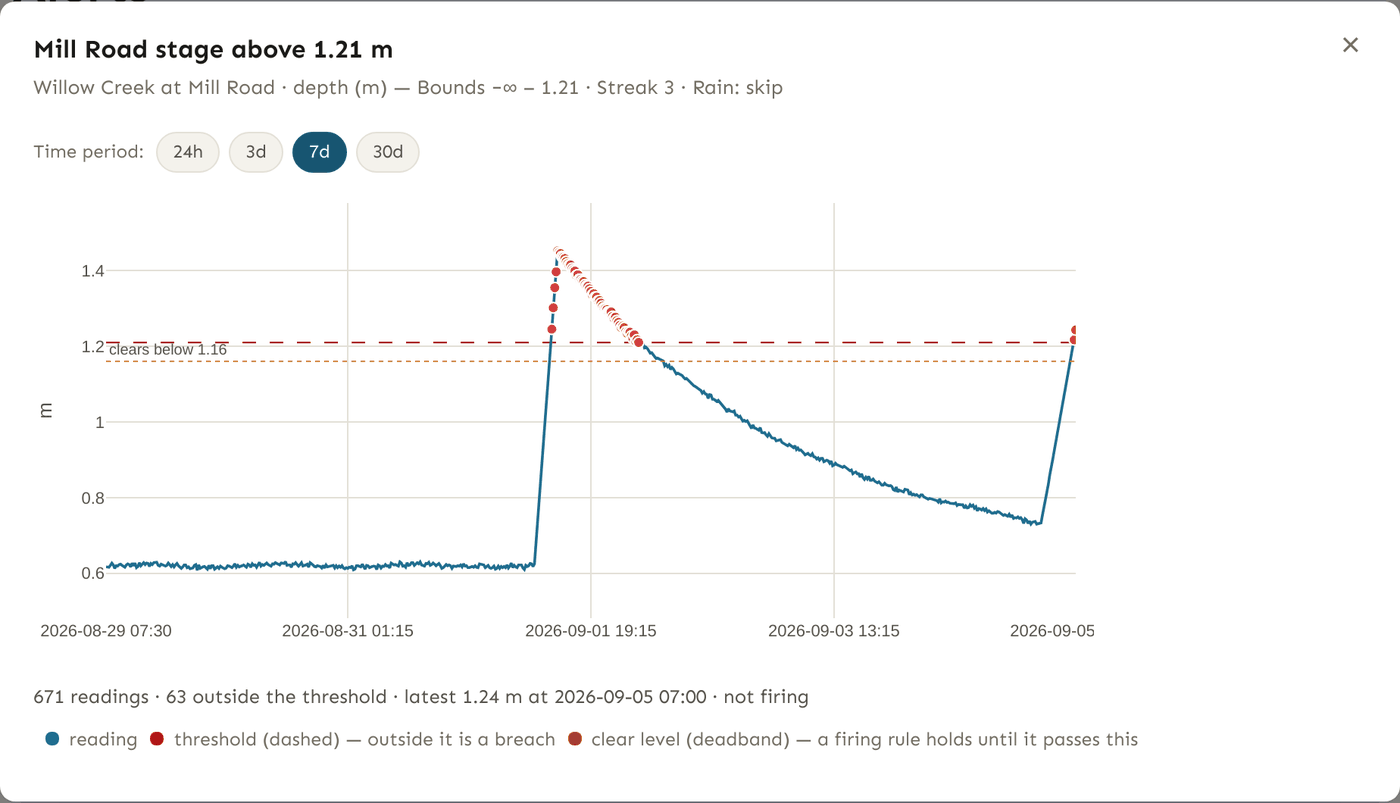
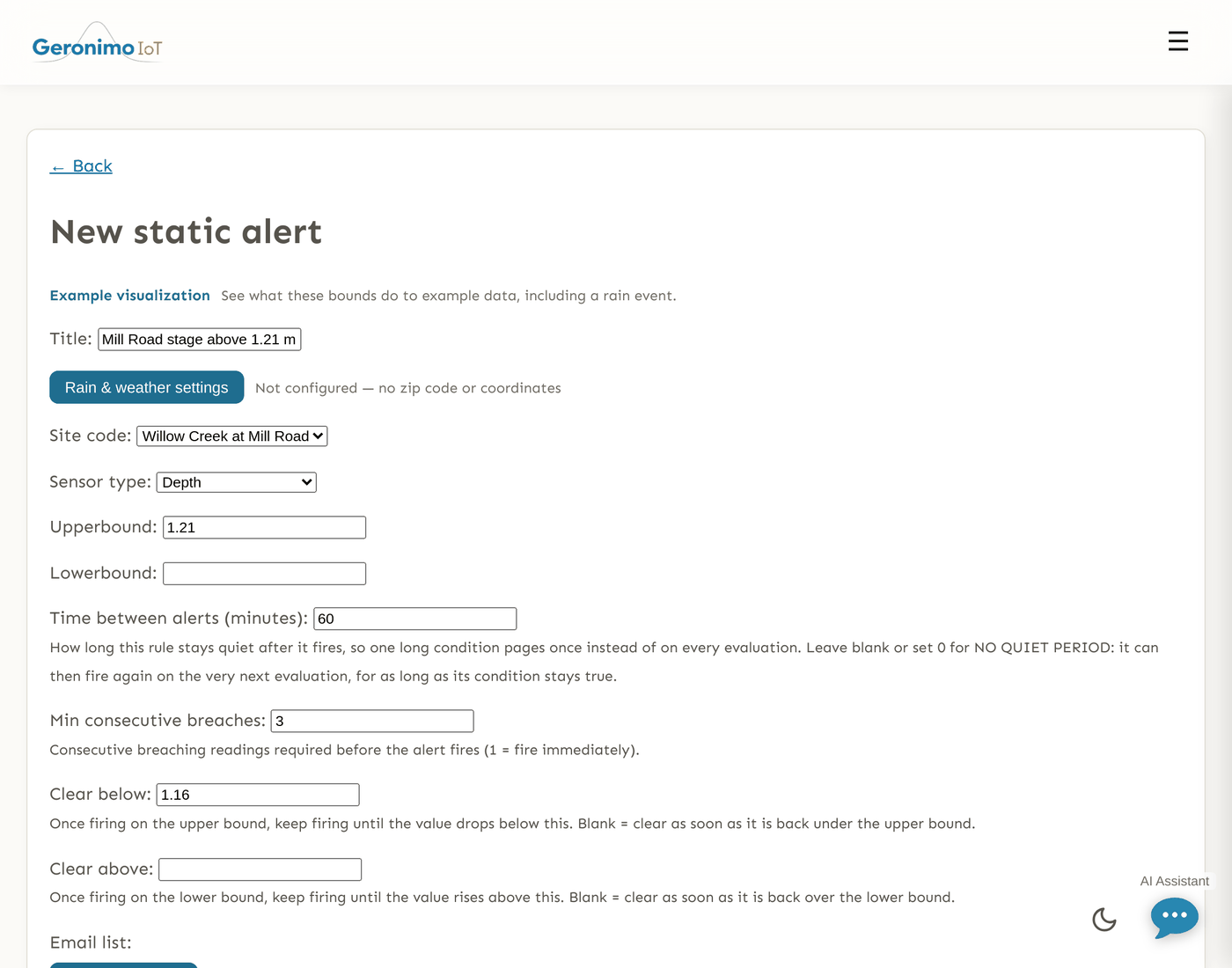
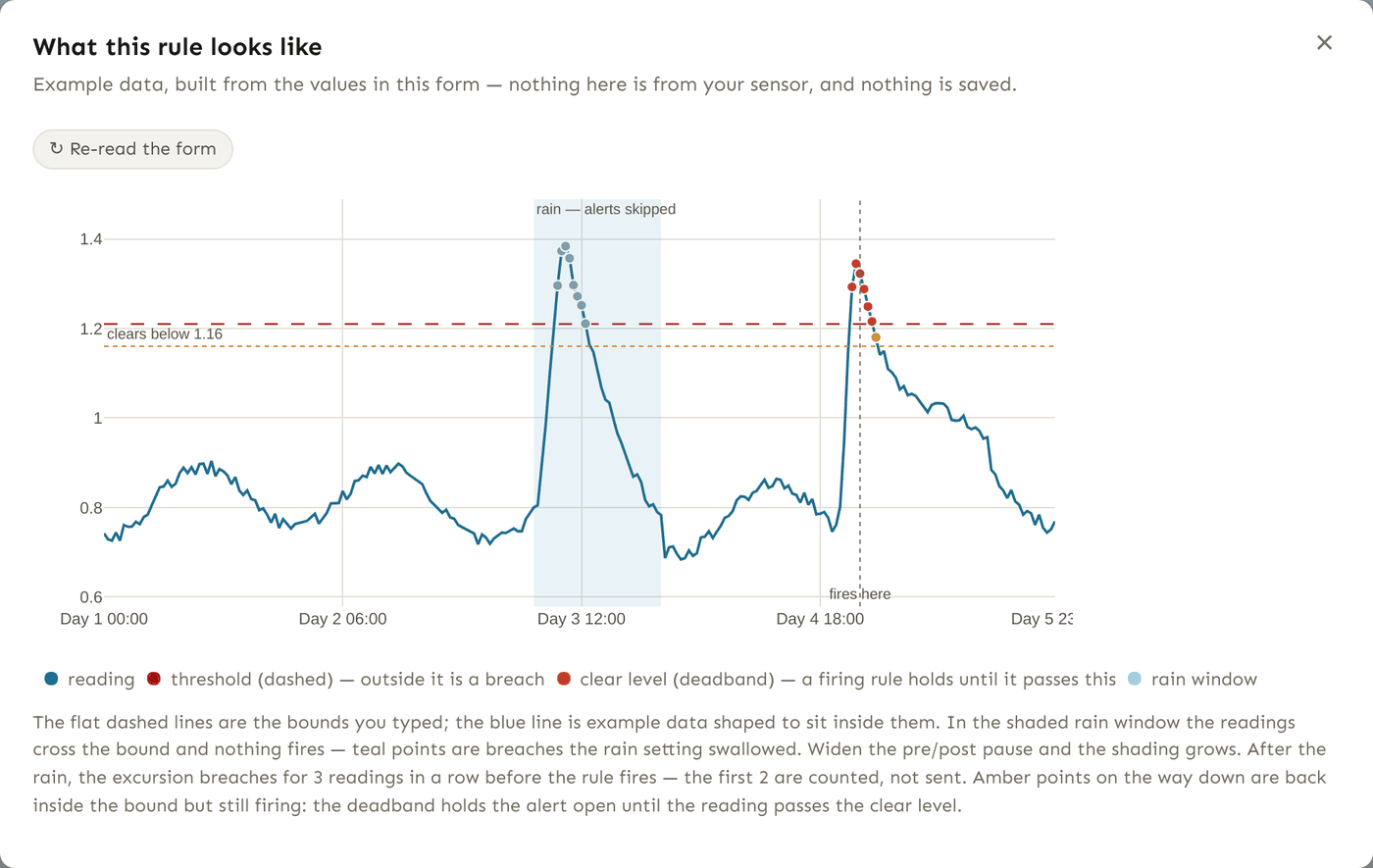
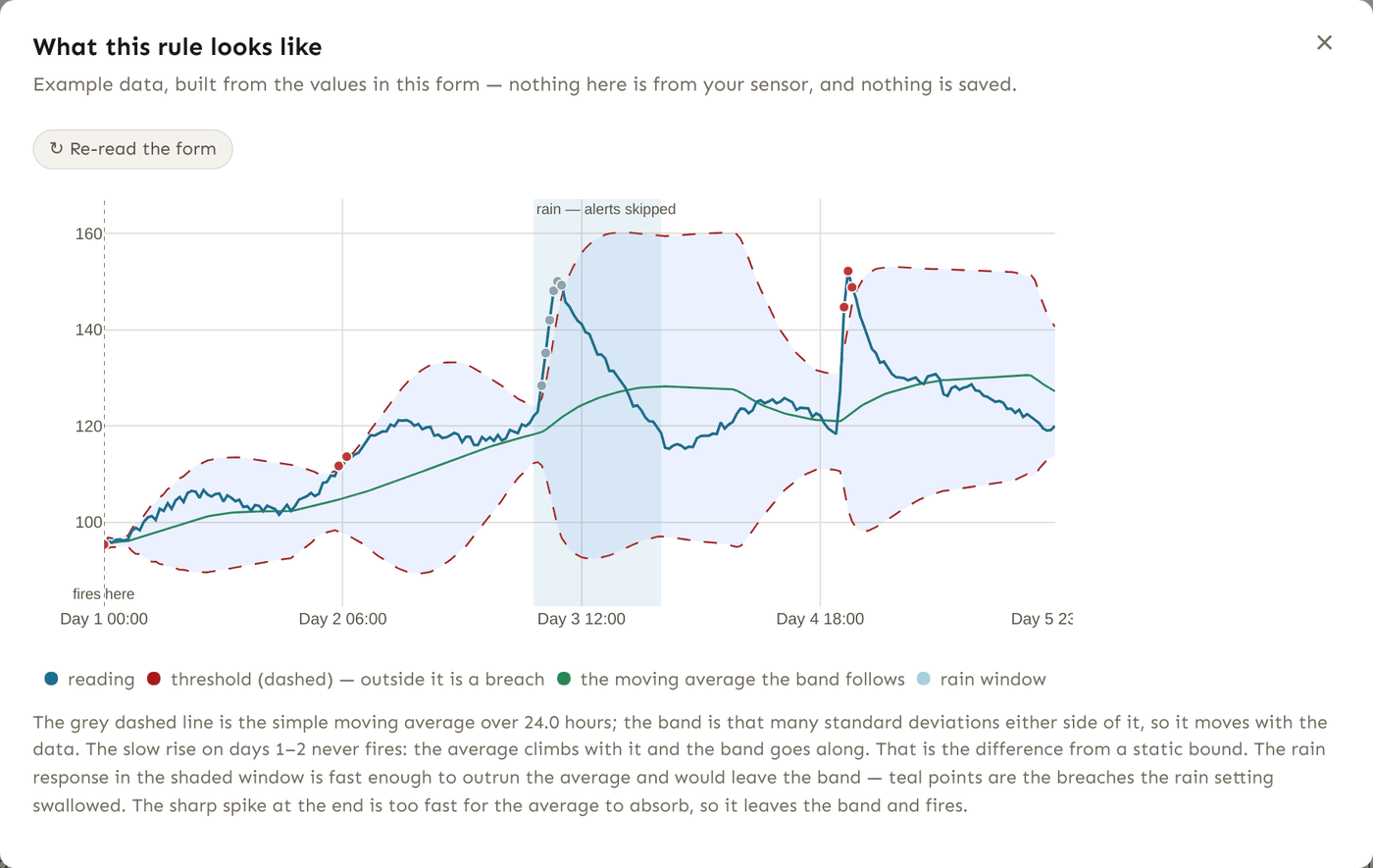
Create one from Alerts → Static Alerts or Moving Alerts → + Create a New Alert. At the top of either form, Example visualization draws example data with a rain event and a threshold crossing, using whatever you have typed so far, so you can see what a streak, a clear bound or a rain setting does before you save. Once the rule exists, visualize rule on its card draws the same picture over the sensor's real readings.
Static alerts
A static rule fires when a reading is at or above the upper bound or at or below the lower bound. Set one bound or both. Example: alert when water temperature reaches 20 °C or falls to 2 °C.
Fields
| Field | What it does | Example |
|---|---|---|
| Title | The name shown on the card and on the Health page. Make it say what and where. | North Fork temp high |
| Zip code or coordinates | Where to look up weather for the rain settings. A 5-digit ZIP, ZIP+4, or latitude,longitude. Leave blank if the rule should ignore rain. Lives in the Rain & weather settings dialog. | 94704, or 37.8719,-122.2585 |
| Site code | The sensor to watch, from the sensors you are permitted to see. | North Fork #0 |
| Sensor type | The variable on that sensor. The list changes when you change the site: it offers that sensor's own variables. | Temperature Celsius |
| Upperbound | Fire when a reading is at or above this. Blank = no upper limit. | 20 |
| Lowerbound | Fire when a reading is at or below this. Blank = no lower limit. | 2 |
| Post rain pause (hrs) | The rain window extends this many hours after the last hour with measurable rain. See Rain behaviour. | 12 |
| Pre rain pause (hrs) | The rain window starts this many hours before the next forecast hour of rain. | 6 |
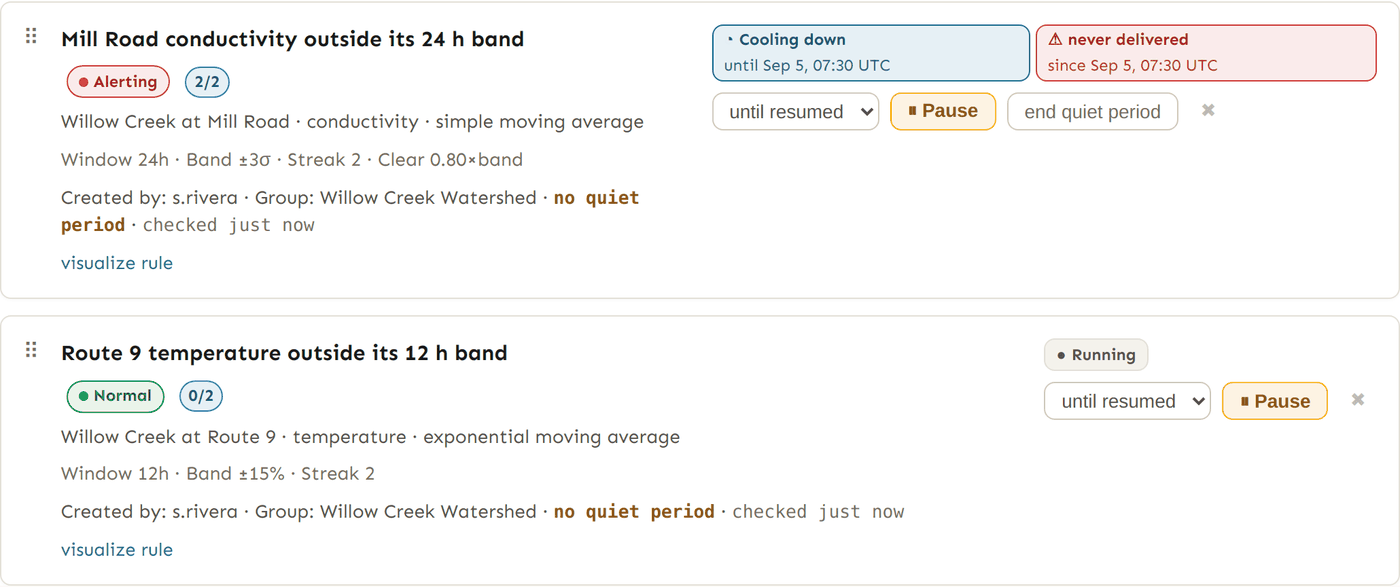
| Time between alerts (minutes) | The rule's quiet period after it fires. 0 or blank means no quiet period, and the card says so in amber: the rule can page again on the very next evaluation for as long as the condition holds. | 180 |
| Min consecutive breaches | How many readings in a row must breach before the rule fires. 1 (the default) fires on the first; 3 ignores a one-reading spike. A data gap breaks the streak: readings either side of an outage do not count as consecutive. The card shows progress as 2/3. | 3 |
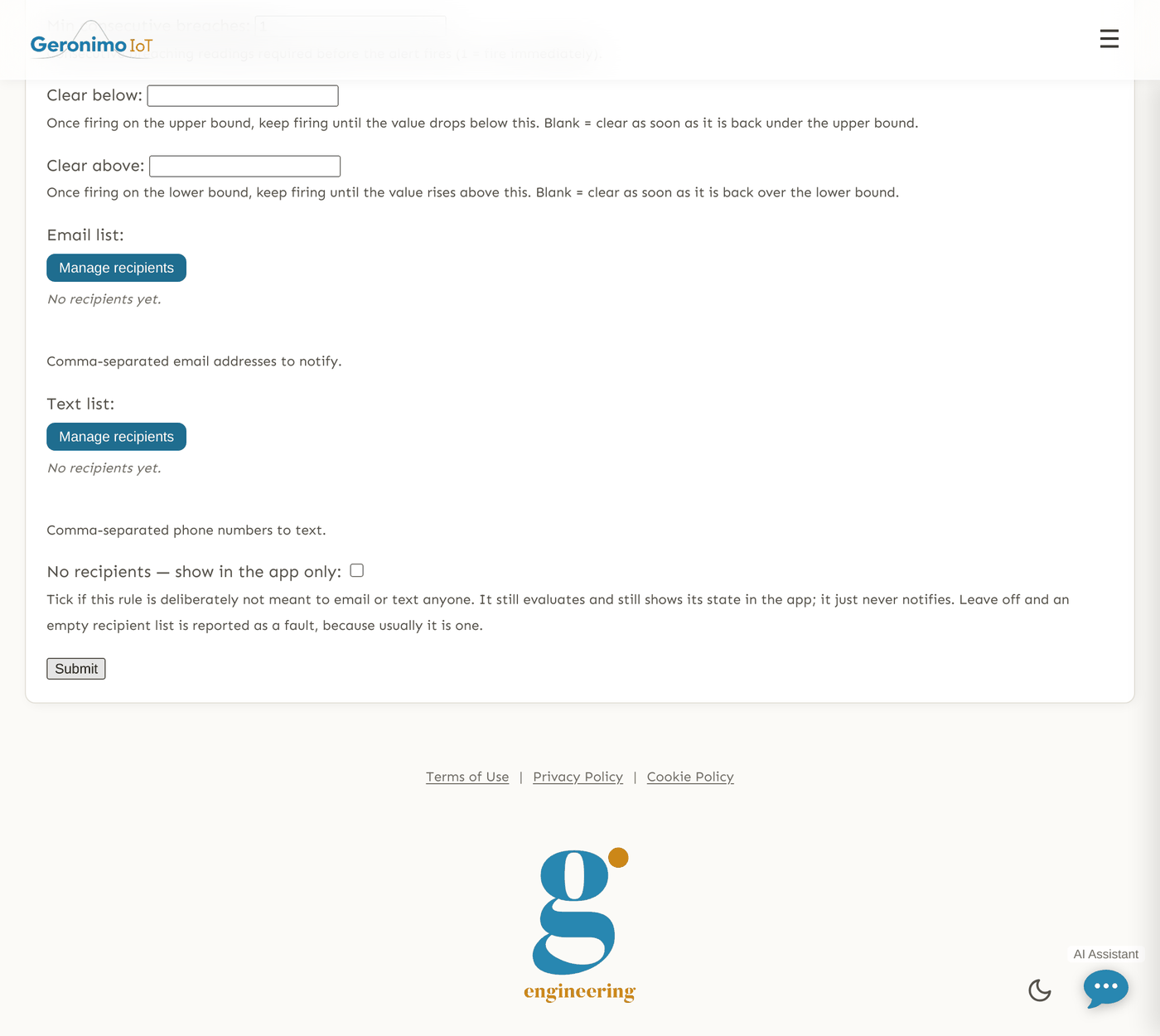
| Clear below | Hysteresis for the upper bound. Once firing on the upper bound, keep firing until the value drops below this. Must be at or below the upper bound. Blank = clear as soon as the reading is back under the upper bound. | 18 |
| Clear above | The same for the lower bound: keep firing until the value rises above this. Must be at or above the lower bound. | 3 |
| Rain behavior | Skip alerts during rain (default) or Use alternate thresholds during rain. In the rain dialog. | Use alternate thresholds during rain |
| Rain upper bound / Rain lower bound | The bounds used instead of the normal ones while the rain window is active. Only shown, and only used, when the behaviour is "alternate thresholds". | 30 / 0.5 |
| Email list / Text list | Who is paged. Edited through Manage recipients; see the overview. | [email protected] |
| No recipients — show in the app only | Tick to say, on purpose, that this rule pages nobody. It still evaluates and still shows its state. Cannot be ticked while either list has an entry. | — |
Why clear bounds exist
Min consecutive breaches delays a firing; it does not stop flapping. A sensor sitting right on the bound crosses it, clears, crosses again, and satisfies the streak every time — one condition, forty incidents. A clear bound separates the level that opens the alert from the level that closes it: fire at 20, stay firing until the reading is back below 18. While a rule is already firing, recovery is judged on the latest reading alone against the clear bound, so one clean reading clears it; the streak is not re-imposed on the way down.
The form refuses a clear bound it knows cannot work: one with no trigger bound to clear from, one on the wrong side of its trigger bound, a pair that cross (so no reading could count as recovered), and — on a one-sided rule — a clear bound outside the range this sensor has actually been reading, because a fired alert would then stay up forever. The error names the sensor's observed range so you can pick a reachable value.
Rain behaviour (both kinds)
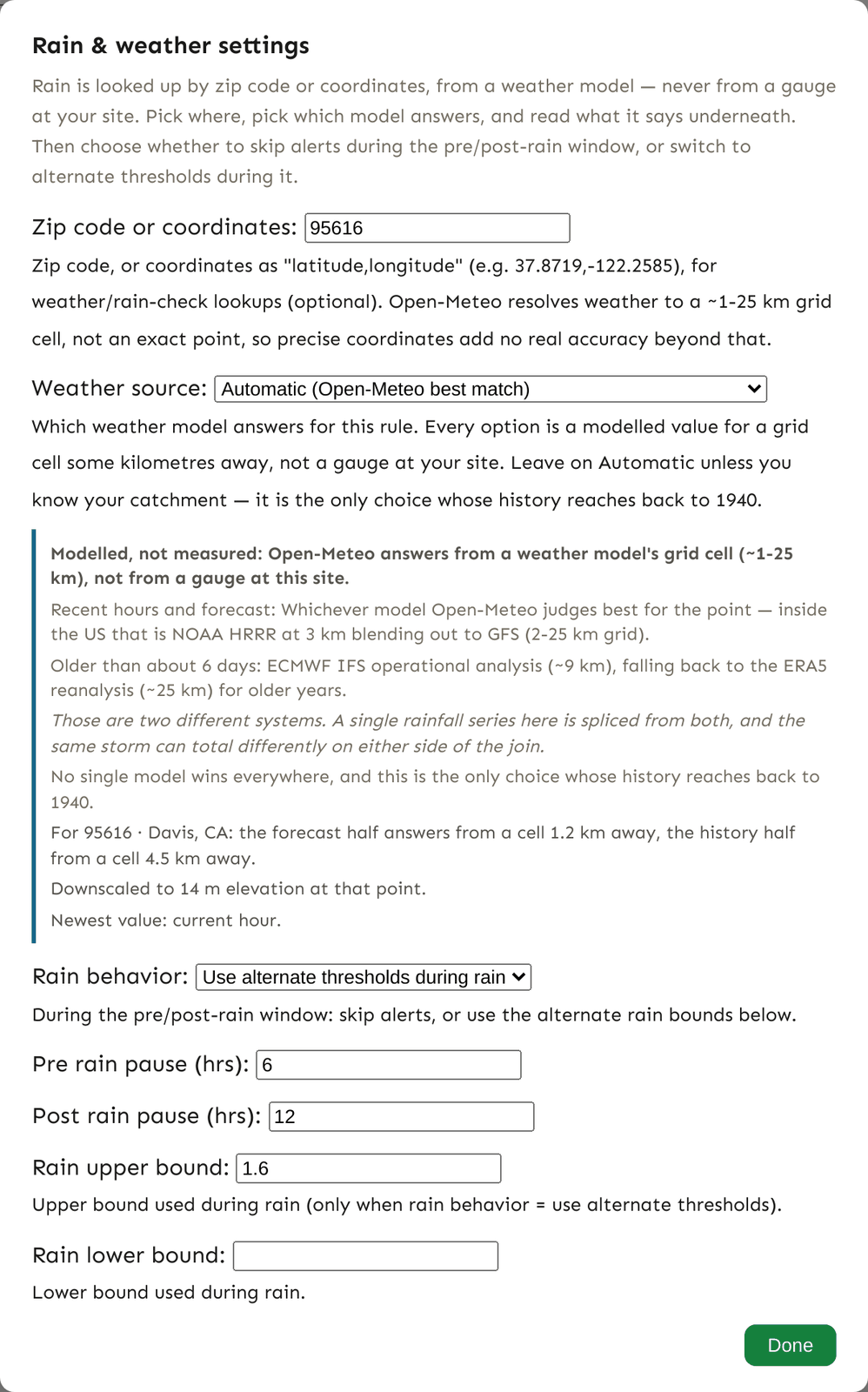
The rain fields live behind the Rain & weather settings button near the top of the form; the line beside the button summarises the current setting (Not configured — no zip code or coordinates, Skip alerts during rain, Alternate thresholds during rain). If a rain field fails validation the dialog opens by itself to show the error.
Rain is looked up by the rule's location from Open-Meteo: about three days of hourly history and two days of forecast, as a weather model's value for a grid cell of roughly 1–25 km — not a gauge reading, and typically a few kilometres from the point you named (which model, and how far). The rain window is active whenever the last hour with measurable rain (more than 0.1 mm) was within Post rain pause hours ago, or the next forecast hour of rain is within Pre rain pause hours ahead. No location, or both pauses blank, means the rule never considers rain.
- Skip alerts during rain — the rule is still evaluated, but a breach inside the window is not paged. It is recorded in the alert log as a
static_rain_suppressed(ormoving_rain_suppressed) event with Rain Pause =Trueand the rain timing in Notes, so you can see what you chose not to hear about. - Use alternate thresholds during rain — the rule keeps paging, but against the rain bounds. This needs a location, at least one of the pauses, and at least one rain bound; the form says so if any is missing. Fill in both rain bounds if you want both sides enforced during a storm: a rain bound left blank is not checked while the window is active. The status chip notes rain thresholds in its tooltip while they are in force.
Note. Static and moving rules have no "skip windows" for excluding a past period; those belong to machine-learning and LLM rules, whose judgement depends on history. To silence a static or moving rule for a while, pause it from its card.
Moving-average alerts
A moving-average rule keeps a running average of the variable over a trailing window and draws a band around it. It fires when readings fall outside the band. The average is either a Simple Moving Average (the mean of the last N hours, a true time window, so irregular sampling and gaps are handled) or an Exponential Moving Average (time-decayed, with a half-life of N hours, so recent readings count for more). Example: alert when turbidity is more than 50% above its 24-hour average.
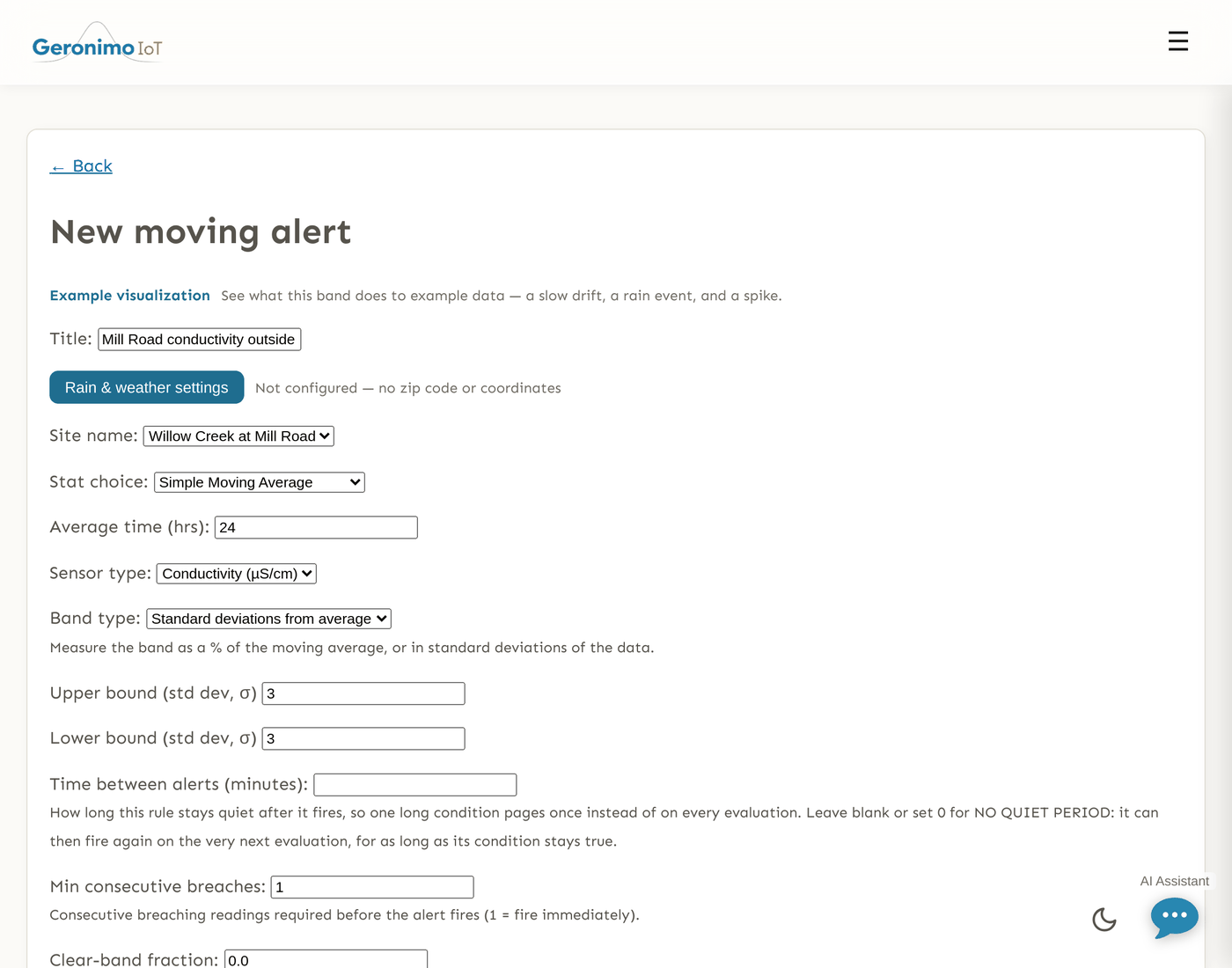
Fields
| Field | What it does | Example |
|---|---|---|
| Title | The rule's name. | Turbidity spike |
| Zip code or coordinates | Weather location for the rain settings, as on static rules. | 94704 |
| Site name | The sensor to watch. | North Fork #0 |
| Stat choice | Simple Moving Average or Exponential Moving Average. | Simple Moving Average |
| Average time (hrs) | The trailing window in hours (the half-life, for EMA). Required. | 24 |
| Sensor type | The variable on that sensor; the list follows the site. | Turbidity |
| Band type | % deviation from average — the band is a percentage of the average's magnitude; or Standard deviations from average — the band is n standard deviations of the readings in the same window. Either way the average and the deviation behind a reading’s band are taken over the window ending at the previous reading, so a spike is judged against the band that stood before it rather than one it widened itself. This decides what the two bound numbers mean, which is why it sits just above them. | % deviation from average |
| Upper bound (%) | How far above the average a reading must be to breach: a percentage, or a count of standard deviations when the band type is standard deviations (the labels change to (σ) when you switch). Required. | 50 |
| Lower bound (%) | How far below the average, in the same units. Blank = no lower edge. | 50 |
| Post rain pause (hrs) / Pre rain pause (hrs) | The rain window, exactly as on static rules. | 12 / 6 |
| Time between alerts (minutes) | The quiet period after a firing. 0 or blank = none. | 180 |
| Min consecutive breaches | Readings in a row that must fall outside the band before the rule fires. Each reading is compared with the band as of its own time. Gap-aware, as on static rules. | 3 |
| Clear-band fraction | Hysteresis for a band that moves. Once firing, keep firing until the reading is back inside the band by this fraction of the band's half-width. 0 (default) clears at the band edge; 0.25 is a typical deadband. Must be below 1. | 0.25 |
| Rain behavior | Skip alerts during rain or Use alternate thresholds during rain. | Skip alerts during rain |
| Rain upper % / Rain lower % | The band used while the rain window is active, when the behaviour is "alternate thresholds". Same units as the main bounds. | 100 / 100 |
| Email list / Text list / No recipients — show in the app only | As on static rules. | — |
Percent or standard deviations?
A percent band is easy to reason about ("50% above normal") and works well on variables that are always well away from zero. It is a percentage of the magnitude of the average, so it behaves the same for negative values (temperature in °C, stage below a datum). A standard-deviation band adapts to how noisy the sensor has recently been: 3 σ on a quiet sensor is a narrow band, 3 σ on a jittery one is wide. It is the better choice when "unusual" should mean "unusual for this sensor lately", and the worse one on a sensor that is flat for long stretches, where σ collapses and any movement breaches.
Whatever the band, visualize rule on the card draws the real readings against the real band, and the status chip's tooltip quotes the band's current edges, e.g. latest 48.2 vs simple moving average band (12.1, 36.3).
How often a rule is checked
The evaluate runner passes over every active rule about once a minute, and also runs when new data is ingested or uploaded. A rule is only re-judged when a reading it has not already judged has arrived, so a sensor that reports every 15 minutes is judged about every 15 minutes, and a sensor that has stopped reporting is not judged at all — its chip turns to No recent data after a day. Saving a rule clears that watermark, so edited settings are applied to the latest reading on the next pass. The card's checked … stamp tells you when the runner last reached a verdict for the rule.
Two timings on the rule are easy to confuse: Time between alerts is how long the rule stays quiet after firing; Min consecutive breaches is how many breaching readings it waits for before firing. Neither changes how often it is checked.