
Community & legal
Community board
Sections, posts with pictures, comments and helpful votes; community accounts created with a phone number we can text a code to.
What the Community board is
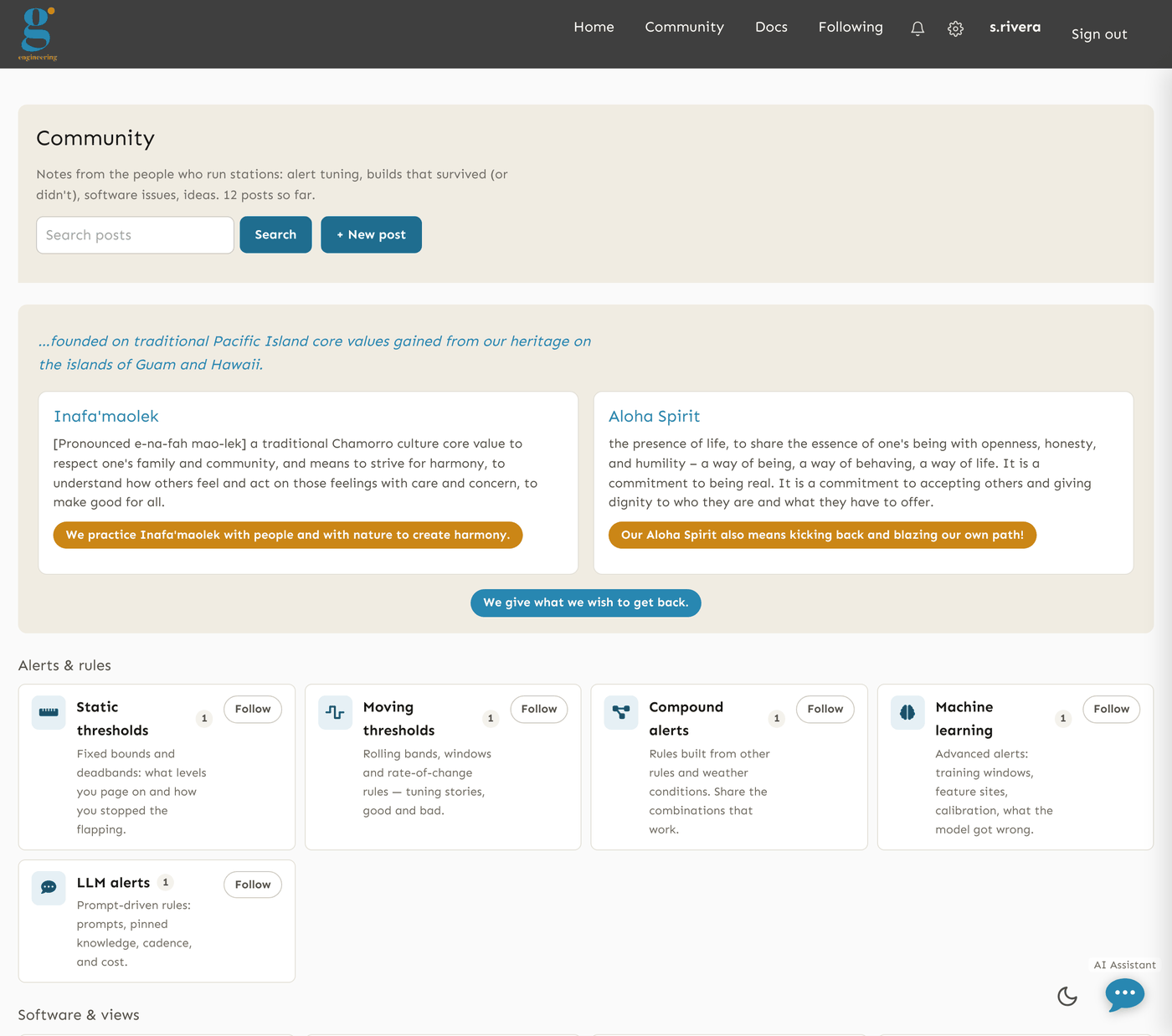
The Community board is a place for the people who run stations to share what they are building and ask what they are stuck on: alert recipes, sensor and enclosure builds, telemetry and power, software problems, field notes and suggestions. It is public: reading the hub, the sections, the threads and the pictures needs no account — the board sits on the public side of the site, next to the open map — and it is deployment-wide, so a post is not scoped to any group. Writing needs an account. Write as you would on any public web page. It is not a support ticket queue; the pinned post in each section says how to report a software issue.
The board has 12 sections in three families: Alerts (static thresholds, moving thresholds, compound, machine learning, LLM alerts), Software (software issues, dashboards, maps, analytics) and Community (field notes, suggestions, miscellaneous). The hub shows recent activity across all of them; each section lists its threads with pinned posts first and a search box.
Posting, pictures and comments
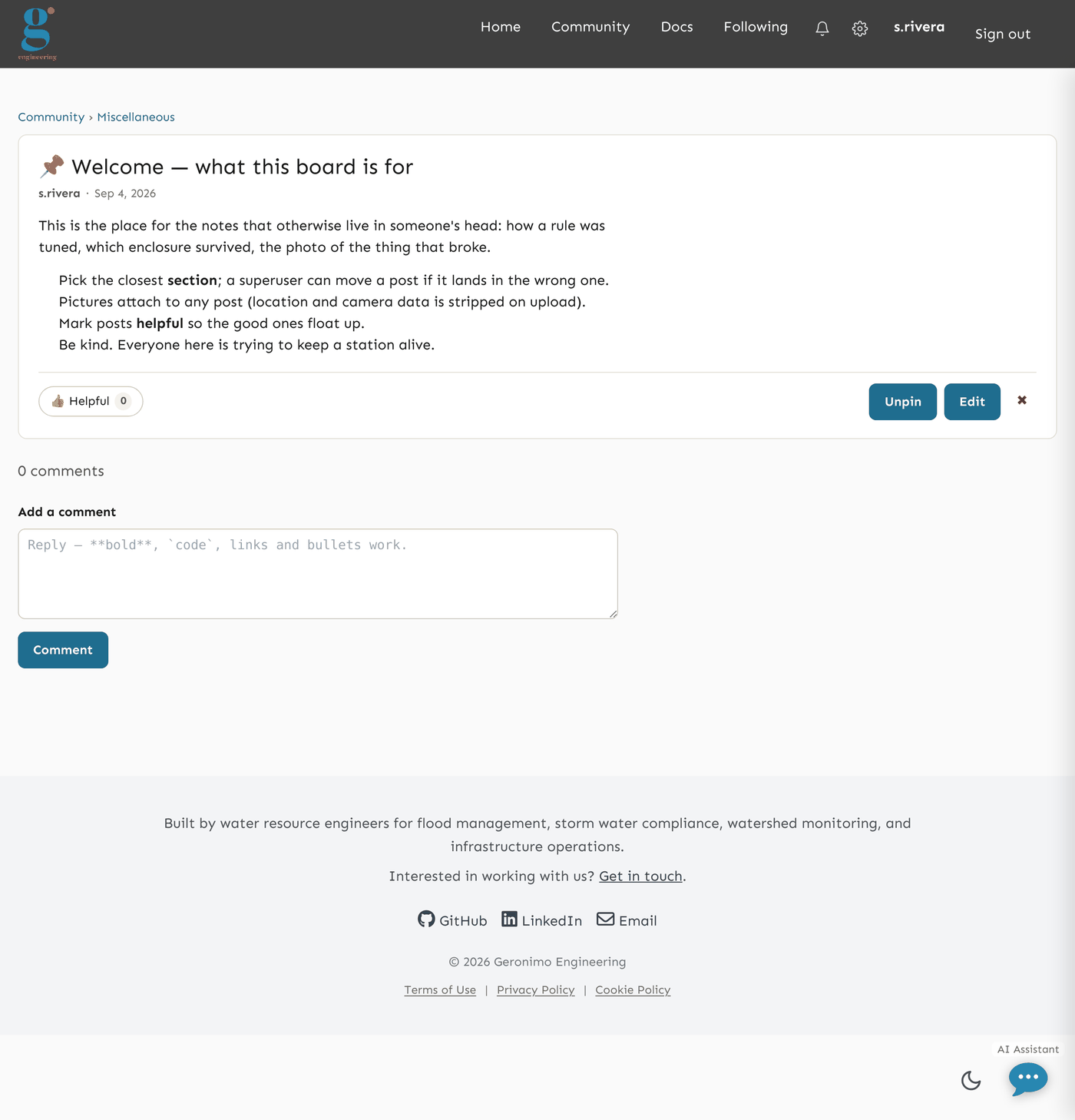
- New post asks for a section, a title and a body. The body is plain text with a little formatting: paragraphs, links (http/https only), and fenced code for a sketch or a log excerpt. Pictures are attached with the post, with an optional caption; camera metadata (location, device) is stripped on upload.
- Anyone with an account can comment on a thread and press Helpful once per post; a thread floats to the top of recent activity when it gets a comment. An anonymous reader sees the same thread with a Create an account / Sign in prompt where the write controls would be.
- You can edit or delete your own posts and comments. A superuser can edit or delete anyone's, and can pin a post to the top of its section. There is no other moderator role yet.
- The guest account can read the board but not write — its posts and comments are refused with "The guest account is read-only".
Community accounts
A full account (sensors, alerts, data) is invitation-only — see Accounts and signing in. The board also admits community accounts: on Create an account, anyone who can receive a text message can create one by choosing a username and password and confirming a code texted to their mobile number. Creating an account takes a phone number we can text a code to. A community account can read and post on the board and manage its own profile, and nothing else; it is turned back from every other page, it is in no group, and it uses that same phone as a second factor at every sign-in. One mobile number is one account, and virtual or temporary numbers are refused. An operator can later promote a community account to a full one. When the server has no text-message provider, that page says so and points to invitations instead.
The board has its own sign-in page, Community → Sign in, with the same checks as the main one plus a link to create an account. The account controls on every board page lead there, not to the platform sign-in.
Following, mentions and notifications
- Follow a section with the Follow button on the hub's section cards or at the top of a section. The Following tab lists the newest posts across every section you follow, and a new post there can notify you.
- Mention someone by writing
@usernamein a post or comment. A name that belongs to an account on the board becomes a link to that person's profile card (username, join date, post count — nothing else) and they are notified; an unknown name, a name inside code, or the guest account stays plain text. Up to ten different people per post. - Notifications — someone replied to your post, someone mentioned you, or a new post appeared in a section you follow — show under the bell in the board's bar with an unread count; the Notifications page lists them, and opening one or pressing Mark all read clears it. You are never notified about your own posts or comments.
- Email, for accounts that have an address, goes out as a daily digest at most — never one message per event and never a text message. Notification preferences (the gear in the bar) chooses, per kind, in-app and email; replies and mentions are emailed by default, followed-section posts are not. Every digest carries a one-click unsubscribe link. A community account has no email address and is in-app only.
- Sorting: every post list offers Newest (latest activity), Most helpful (helpful votes and comments, all time) and Trending (the same score, decayed by how long ago the thread was last active); pinned posts stay first in every order, and your choice is remembered.
Who sees what
Your username is shown on everything you post, and the board is public on the internet: anyone can read it without signing in, pages may be cached for a minute by intermediaries, and search engines are allowed to index the board (not its sign-in, join or compose pages). Deleting your account (Your profile → Delete my account) removes your name and contact details and deletes your posts, comments, pictures and votes along with them — the board is public, so prose left standing under a deleted name is a person's writing on a public page with nobody left to answer for it. Copies a search engine or another visitor already took are outside our control. The Privacy Policy and Terms of Use §4 (community content) cover the rest.